
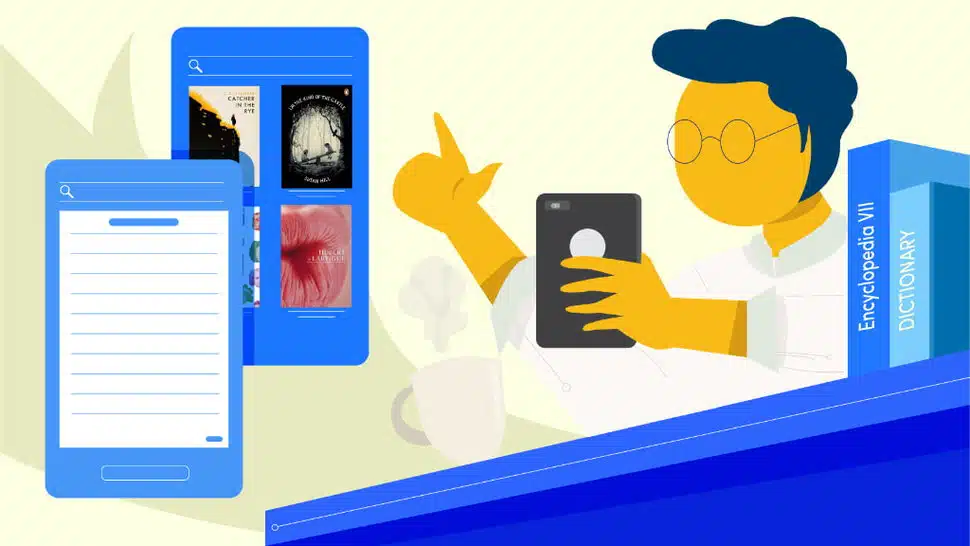
Whether you’re looking to read ebooks, magazines, textbooks, or comics, these apps are perfect for turning your phone
or tablet into your own personal library.
The average smartphone can store hundreds — if not thousands — of books.
But the default reading apps installed on most Android and iOS devices don’t offer a ton of customization options or
allow you to read books from other stores.
If you’re looking for more ways to customize your reading experience — and extra places to find awesome new reads —
our research shows these 6 apps are the best ebook apps available in 2022.
1. Amazon’s Kindle App


The Kindle app is a one-two punch of e-book awesomeness. It offers easy access to Amazon’s massive selection of
e-books and e-book services while also allowing you to read directly from the app.
If you have multiple devices — such as a tablet or e-reader — any books read in the Kindle app will automatically
sync your position and notes to your other devices to make it easy to pick up right where you left off.
Being an Amazon app, the major purpose is to introduce you to books on sale at Amazon. So you’ll find a few ads
placed among the various pages of the app. But it’s nothing too intrusive.
The biggest downside to the app is the lack of file support. The app only supports AZE, MOBI, PRC, TXT, PDF, and POBI
files.
While you can convert books to read on the Kindle app, there’s plenty of other readers out there that will read
EPUBs, CBZs, and other files the Kindle app won’t. So just grabbing another app in addition to the Kindle app is
likely easier for reading unsupported file formats.
Price: Free
Get it: for Android | for iOS
2. Libby by Overdrive


Libby by Overdrive puts your local library’s book collection in the palm of your hand. All you need to sign up is a
library card.
The app allows you to search the e-book library, check out e-books and audiobooks, and read them right within the
app. No need to transfer them to other devices or use extra programs to open them.
Everything within the app is free. However, the selection will depend on what your local library systems offers.
Still, if a book is out of stock, you can always reserve a place in the queue. The app will then notify you when the
book is available to check out.
When your book is due for return, the app will automatically return it. So there are zero worries about late fees.
You can even extend the due date if no one is waiting to read the book.
The biggest downside to the app is the potential wait for really popular releases. If you want guaranteed access to a
book, buying is probably a better choice. Still, for a 100% free and legal way to access a huge collection of books,
Libby is really nice.
Price: Free
Get it: for Android | for iOS
3. Scribd


Scribd is one part reading app, one part subscription service. So the free label is a tad misleading.
However, for an affordable monthly subscription fee, you get access to a huge range of ebooks and audiobooks. There’s
also harder to find content such as magazines, sheet music, case studies, medical reports, and academic
dissertations.
It’s an interesting collection — especially for those who don’t always use the bestseller lists to guide their
reading choices or want access to a huge collection of non-fiction content.
The app itself allows for extensive customization of everything from font sizes and background colors to speeding up
audiobook narration and saving files for offline viewing.
If you’re not sure if you’re ready to sign up for a subscription, Scribd offers a free trial to check out their
selection and get a feel for how the app works. Just be sure to cancel before the trial is over or you’ll find
charges on your bill.
Price: Free (with paid monthly membership for unlimited reading)
Get it: for Android | for iOS
4. KyBook 2 Ebook Reader


KyBook 2 has excellent support for a huge range of file formats — including Amazon’s AZW3.
While it doesn’t include a store, extensive cloud storage support and OPDS-catalog support means you can connect it
to a wide range of catalogs — including Calibre and Project Gutenberg and access your files without having to email
files or find a USB cable to transfer them to your iPad or iPhone.
If you love to keep your e-books organized, the app allows you to edit the metadata and use alternate book covers to
get your collection looking exactly how you’d like.
There’s also dictionary support, social media integration, and text-to-speech to turn any e-book into a narrated
audiobook.
It might be the prettiest app around, but it does its job well and provides plenty of options for customizing your
reading experience.
Price: Free (with in-app purchases)
Get it: for iOS
5. Moon+ Reader


Moon+ Reader offers a wealth of options for anyone looking for an Android app to read e-books on their phone or
tablet.
Extensive customization and theme support make it easy to set up day and night modes for reduced eyestrain and
bluelight exposure in any environment or adjust font sizes and the like for multiple readers.
File support is also excellent. Unless you bought your book on Amazon, there’s a good chance Moon+ Reader can open
it.
Support for cloud storage and OPDS-catalogs also makes it simple to skip syncing files over USB or emailing books to
yourself.
Like most e-book reading apps, Moon+ Reader includes highlighting, bookmarks, social sharing, a dictionary, and can
even sync book progress using cloud storage if you like to read on multiple devices.
The free version includes ads and locks some of the advanced customization options and presets. However, the upgrade
price is affordable and the developers issue frequent updates to add value to your purchase.
Price: Free (with in-app purchases)
Get it: for Android
6. Aldiko Book Reader


If your favorite book source uses Adobe DRM to protect their files, Aldiko Book Reader makes accessing your books on
your mobile device simple.
It’s also great for EPUB files and PDFs.
The interface is rather basic. But if the options of a more complex reader intimidate you, that might be a good
thing.
There’s a built-in selecting of online book sources — both free and paid — if you need to jumpstart your reading
collection or you’re looking for a specific book.
Overdrive integration also allows you to check out e-books and audiobooks from your local library and download them
for offline listening or reading.
The free version of the app offers everything you need to get up and running and read your e-books. But it also tacks
ad onto the experience.
Upgrading to the Premium version removes ads, allows you to add notes to books, and allows unlimited audiobooks in
your catalog. So for many, this is a worthwhile purchase.
Price: Free (with in-app purchases)
Get It: for Android | for iOS
Verdict
There’s never been a better time to be an avid reader.
E-book apps allow you to carry a lifetime supply of books and enjoy your favorite reads wherever you go.
So which app is best for reading e-books?
It’s hard to pick a single winner. They’re all so different and take a different approach.
If you’re looking for a powerful e-book app to read your existing collection of DRM-free e-books, stand-alone reading
apps — such as Moon+ Reader and KyBook 2 — provide great support for e-books across a wide range of file types.
Want easy access to the latest best-sellers? Apps with built-in stores — such as Amazon’s Kindle app — make it easy
to buy new books, magazines, and other reading material anywhere you have a data connection or Wi-Fi signal.
Want to read for free? Libby by Overdrive puts your local library system in your pocket.
For non-fiction content, Scribd’s unique collection offers reports, textbooks, studies, and other content you won’t
find anywhere else.
Finally, subscription-based apps — such as Scribd and Kindle Unlimited — provide near-limitless access to a huge
selection of titles for those that read a lot.
It’s all a matter of needs. And there’s nothing saying you can’t install them all.
Apart from Moon+ Reader, KyBook 2, and Aldiko, there’s very little overlap in terms of book selection in this list.
So choose the apps that give you access to the books you love.
Fortunately, most e-book reading apps are free — or cost very little — so it’s easy to try out a few and see which
one fits you best.
Happy reading!
P.S. If you love to read, a dedicated e-reader might be an even better fit than these e-book apps. Our e-reader
reviews make it easy to compare leading options from the best manufacturers to find an e-reader that fits your
needs.
Disclosure: You should know that in some cases, we may receive a referral fee (at no additional cost to you) for products purchased through the links on our site. These links help support our work but they do not influence our content. Our editorial recommendations are always genuine and we try to feature only the best products and services. Why trust us?