

Verdict
A sleek device that combines reading and basic note-taking with a large, sharp screen, but falls short for serious artists and advanced organization.
Key specs
In Depth
Design
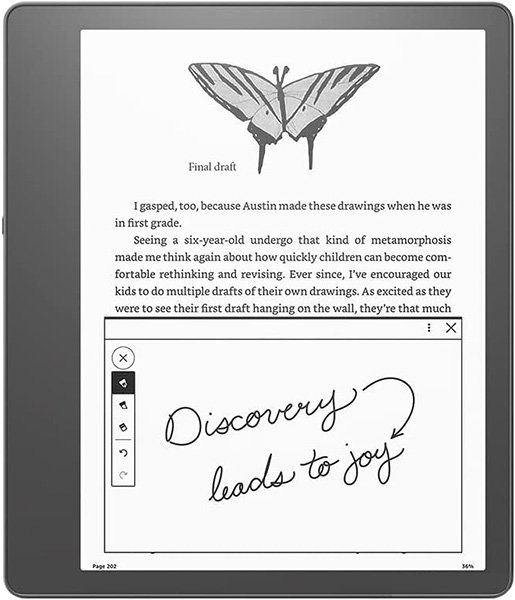
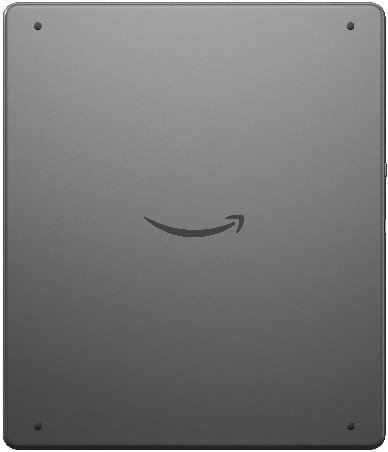
The Kindle Scribe stands out with its minimalist design and elegant gunmetal aluminum chassis. The one-piece face creates a smooth and sleek front panel, enhancing its premium feel.
The chassis not only looks good but also feels cool to the touch, giving it a comfy and sturdy grip. Yet, its size limits portability—it won’t fit into small spaces and is awkward to hold with one hand.
One reviewer from PCMag stated, “Its unwieldy size limits its use for casual reading.” However, if keeping it on a desk or using it for longer, stationary sessions, this shouldn’t be an issue.
Screen
The Kindle Scribe’s 10.2-inch E Ink display offers a spacious and highly readable screen, making it ideal for both reading and note-taking tasks.
The large display enables you to view more text at once, which reduces the need for frequent page turns. The 300 PPI resolution ensures that text is crisp and clear.
The adjustable front light, aided by 35 LEDs, spreads light evenly across the screen, making reading comfortable even in dimly lit environments. This technology also supports adjustable color temperature, allowing you to shift from cool blue to warm amber tones for better eye comfort during late-night reading sessions.
Storage
The device comes with three storage options: 16GB, 32GB, and 64GB. This means you can easily store thousands of ebooks, which is ideal for avid readers.
If you enjoy comics or magazines, the extra space is useful since these files take up more room. For audiobooks, you might want the 64GB version if you prefer to keep a large selection available.
Unfortunately, the storage is not expandable, so choosing the right amount for your needs at purchase is important.
“Experts highlight that without expandable storage, users must plan accordingly based on their expected usage,” noted PCMag.
Battery Life
This eReader shines with its extended battery life.
In typical reading mode, you can expect up to 12 weeks of use with half an hour of daily reading and Wi-Fi off, thanks to its efficient e-ink display and battery optimization.
However, if you use the note-taking feature regularly—say, 30 minutes a day on average—you might notice the battery life drop to around three weeks, which is still substantial for most users.
PCMag noted, “With some writing and regular daily reading at a rate similar to how I use a Paperwhite, I found the Scribe to drain just a bit faster.” When you do need to charge, the USB-C port ensures a speedy and hassle-free experience.
Software & File Format Support
The Kindle Scribe offers native integration with Amazon’s vast selection of books, comics, and newspapers. You’ll enjoy a seamless reading experience if you stick to the Kindle store.
However, if you have media from other sources, you can upload files such as DOC, EPUB, MOBI, and PDF using Amazon’s ‘Send to Kindle’ service either via email or using the Kindle app on your phone. This process requires a bit more effort, but it allows adding personal content to your library.
Despite the wide range of formats supported, the reader still doesn’t allow direct annotation on most files other than PDFs, limiting the potential utility for note-taking in ebooks.
Extras
With the Kindle Scribe, you get options for writing directly on multiple templates.
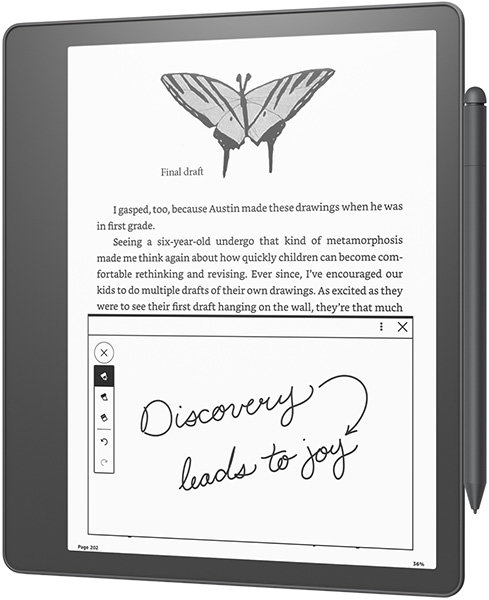
The Basic Pen allows for smooth, precise note-taking and drawing, while the Premium Pen includes an eraser and a shortcut button for convenient writing and editing functions.
The stylus attaches magnetically to the device for easy storage. For those investing in note-taking, reviewers from Tom’s Guide mentioned, it “adds a couple of additional tricks to your writing arsenal.”
You can choose from lined paper, graphs, and more, making it versatile for diverse note-taking needs.
The Bottom Line
This device is best for those who want both a large-screen e-reader and a simple note-taking tool. Reviewers note its smooth writing experience and crisp display make it great for reading and jotting down quick notes. Unfortunately, it lacks advanced features like handwriting recognition and robust integration options, making it less suitable for professional note-taking. Also, it’s not waterproof and can be awkward for one-handed use, which are important considerations for casual readers.
“The Kindle Scribe is an excellent device for those who read a lot and want to make quick notes,” PCMag says, but it’s “not quite suited for artists.”
What people actually want to know
When was the Kindle Scribe released?
The Kindle Scribe was released on November 30, 2022.
Questions & answers
Have a question about the Kindle Scribe? Ask it here and we'll email you as soon as someone answers.
Finish the security check above to post your question.
Your name shows with your question.
✓ Question submitted. We'll notify you when someone answers.
We sent a verification link to . Click it to publish your question.
Can't find it? Check your spam folder.

New eReaders, honest advice.
One email when something worth knowing changes. No deal spam, no filler.