

Verdict
While far from a high-end experience, the Kindle (10th gen) offers an ultra-affordable e-reader option for the casual reader or audiobook lover.
Key specs
In Depth
Amazon’s Kindle series pioneered mainstream e-readers. With their latest release, they bring some nice convenience features to their lowest price ereader. But with e-readers adding more specs and “luxury” features at lower and lower prices, do the updates make Amazon’s most basic offering worth buying?
Design
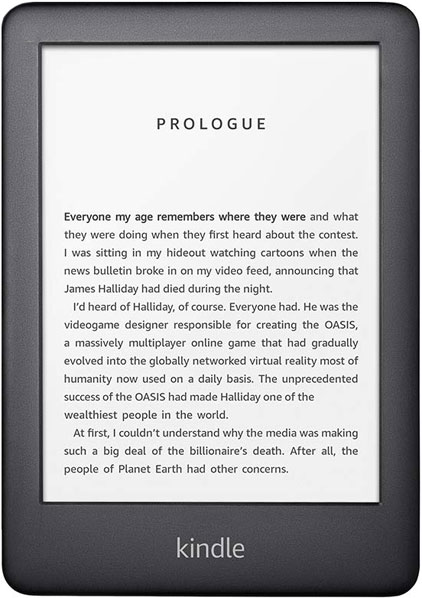
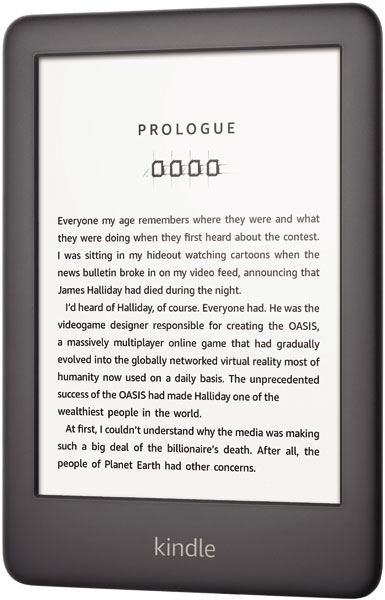
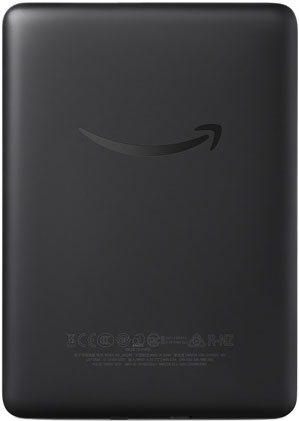
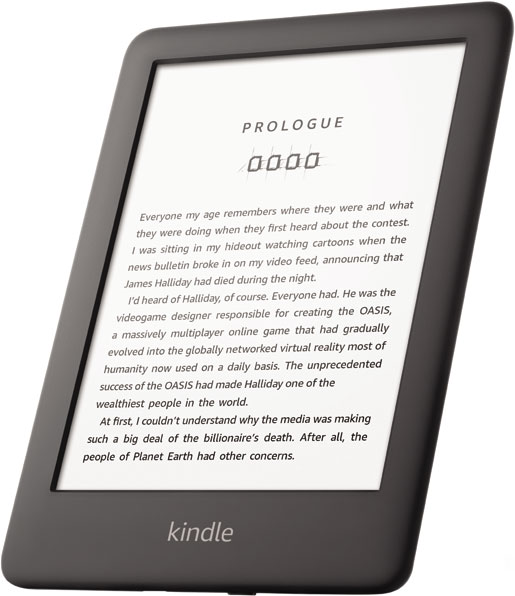
Like most budget e-readers, the Kindle (10th gen) takes a minimalist approach. There is a black plastic chassis with subtle Amazon branding, a power button, and a USB port. If you’d like to add some personality to your reading experience, you’ll need to spend a bit for a case.
There are no physical page buttons or an IP rating. So be sure to avoid splashes and weather while reading.
Still, reviewers found the device comfortable in the hand — even when reading for hours.
ExpertReviews UK says, “The 2019 Kindle is solidly made, is light and feels comfortable to hold. The edges and front bezels are a little more rounded than the old model, but otherwise it’s a familiar design.”
Screen
The e-reader features a 6-inch, 600-by-800 pixel eInk display with built-in 4 LED light. Pixel density is lower than most e-readers on the market today at only 167 pixels per inch. However, reviewers found the screen plenty readable. The backlight also received praise as a new addition with this release. It’s only 4 LEDs, so you might notice a bit of unevenness, but it makes the Kindle 10th gen one of the most affordable lit e-readers on the market.
ZDNet notes, “Fonts still look great, but you can tell some clarity difference when looking at images, charts, or maps. Most of what I read is text so I barely noticed a difference reading on this new Kindle.”
Storage
The 2019 Kindle ships with 4GB of internal memory with no microSD support. While this might not seem like much space, ebooks are small files compared to music, video, and even the pictures we take using our phone these days.
Unless you like to read complex PDFs or want to store a multiple lifetimes of books on your e-reader, 4GB will likely do just fine.
If you run out of space, you can always store books on your Amazon account and sync them to the e-reader wirelessly when you run out of things to read.
Battery Life
Battery life will depend on how you use the e-reader. Leave the Wi-Fi off unless you’re synching and keep the light dim and you’ll be able to read for days or weeks on a single charge. However, a bright backlight or leaving Wi-Fi on 24/7 will see things drop significantly faster.
Also, there is no form of fast charging. So when it’s time to top up, be sure to have a few hours available as most reviewers found a full charge required around 4 hours with the included charger.
The Guardian tested the latest Kindle and says, “I managed to get through two 270-page books between charges at various brightness levels and with wifi switched on occasionally to sync progress. Cranking up the brightness and leaving it hooked up to the internet all the time will reduce that quite a lot.”
Software & File Format Support
The Kindle includes easy-to-navigate software with the option to remove ads for a small one-time fee. Even if you don’t, ads are fairly unobtrusive apart from lock screen ads. Native GoodReads support, a basic browser, and access to Amazon’s massive book library.
Amazon’s X-Ray feature also provides easy access to various facts about the book or series of books you’re reading — such as settings, characters, timelines, and more. It’s an interesting feature if you’re really looking to get lost in a fictional world but has some uses in non-fiction books as well.
There’s also the usual set of reading tools, such as highlighting, dictionary support, wikipedia support, and sharing quotes.
The weakest point of the Kindle (and all Amazon e-readers) is file support. The e-reader will natively read AZW, MOBI, PDF, PRC, and TXT files. You can also convert JPEG, GIF, PNG, BMP, DOC/DOCX, and HTML files using the Documents feature to send files to your Kindle.
Of course, you can also convert files to work with your Kindle as well. But that requires third-party software.
Extra Features
The Kindle (10th Gen) also allows you to listen to your Audible audiobooks. Unfortunately, you’re limited to wireless headphones as there is no 3.5mm headphone jack — only Bluetooth.
However, reviewers had no issues pairing headphones with their Kindle and found the audio quality great. There are also features to skip forward and back, speed up playback, or make bookmarks.
But the most interesting feature is WhisperSync between Audible books and Kindle books. This means you can listen on the commute then seamlessly switch to your e-reader at bedtime and pick up where you left off.
_
The Takeaway
As long as you’re not looking for color adjustments on the light or a high-PPI display — and don’t mind being locked into the Amazon ecosystem or converting books before reading, the Kindle 10th Gen checks most of the boxes the average reader needs.
BGR India says, “… The Kindle 2019 is a product worth buying if you want to stay away from your smartphone to read.”
The Guardian declares, “If you’re an infrequent book reader who wants an e-reader, doesn’t want a luxury item and is not going to dunk the thing in a bath or pool, this is the Kindle for you.”
Expert Reviews UK says, “… None of the 2019 Amazon Kindle’s failings affect its overall appeal. Although it isn’t quite the cheapest Kindle, the addition of a front light and Bluetooth connectivity mean it’s clearly the best-value Kindle in the range.”
What people actually want to know
When was the Amazon Kindle (10th Gen) released?
The Amazon Kindle (10th Gen) was released on April 10, 2019.
Questions & answers
Have a question about the Amazon Kindle (10th Gen)? Ask it here and we'll email you as soon as someone answers.
Finish the security check above to post your question.
Your name shows with your question.
✓ Question submitted. We'll notify you when someone answers.
We sent a verification link to . Click it to publish your question.
Can't find it? Check your spam folder.

New eReaders, honest advice.
One email when something worth knowing changes. No deal spam, no filler.