

Verdict
A large screen device with note-taking abilities and a handy pen, combining reading and writing in one.
Key specs
In Depth
Design
You’ll appreciate the Kindle Scribe’s thin and sleek design, weighing just over a pound. This makes it easy to carry and use over extended periods.
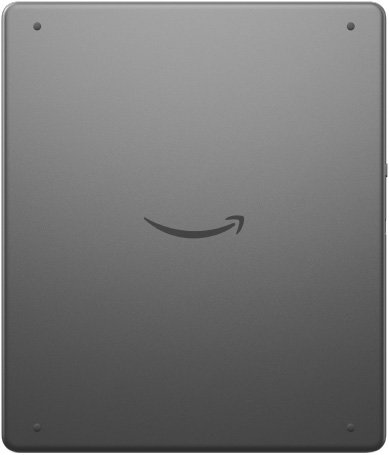
However, some reviewers mentioned the slippery aluminum back, causing frequent hand adjustments for a comfortable grip.
“Even with clean hands, I was frequently cleaning the edges,” noted one user, highlighting the ease of smudges.
The Premium Pen, a key feature on this model, easily detaches, often requiring you to fish for it in bags, adding to the challenge when using it on the go.
Screen
The 10.2-inch screen size provides ample space for reading and note-taking, making it highly suitable for both tasks. The e-ink display simulates paper to reduce eye strain during extended use.
Reviewers note the screen’s high readability, even under bright sunlight, due to its glare-free finish. The display’s 300 ppi ensures text remains sharp across pages.
“The auto-brightness feature works well, making it easy to move between different environments,” experts noted. Overall, this screen design promises a reading experience close to that of a physical book.
Storage
The eReader offers 16GB, 32GB, or 64GB of internal storage, with the 16GB model possibly sufficient for text-based ebooks, but larger sizes may better suit those who have diverse digital content needs.
Most readers will comfortably store thousands of ebooks or a decent collection of audiobooks, depending on the format and file size. One review from PCMag noted that ‘if you have a large audiobook collection, you should consider a model with more storage since those files require more space’.
Unfortunately, the storage isn’t expandable, so be thoughtful about your current and future content needs when selecting a model.
Battery Life
When you use the e-reader mainly for reading, the battery can last up to 12 weeks, which reviewers highlight as a major strength. Even with note-taking, you’ll still get a full three weeks of use.
Charging is simple and convenient with a USB-C port, though it takes around two and a half hours to fully charge. One expert noted, “Charging it via a standard USB-C port takes closer to seven hours when linked to a computer,” adding diverse charging options could be beneficial. Despite the lack of wireless charging, reviewers find the exceptional battery life more than compensates for this omission.
Software & File Format Support
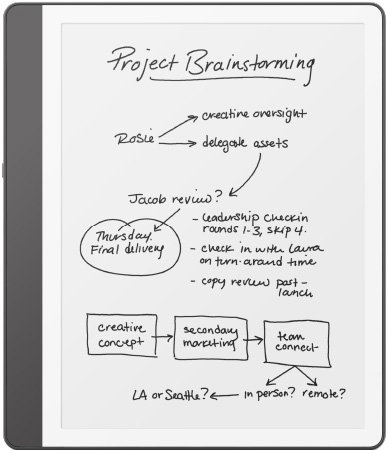
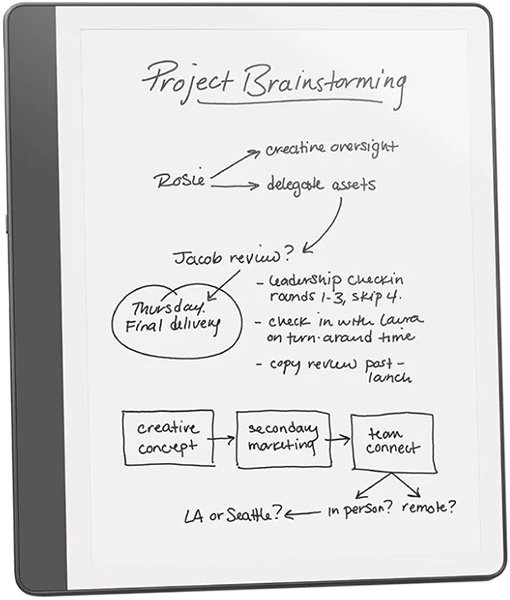
The Kindle Scribe lets you easily take notes on ebooks with the Active Canvas feature, which ensures notes adjust dynamically around the text. This feature brings Kindle users closer to seamless in-book annotation, a long-awaited improvement.
Reviewers appreciated the AI-assisted handwriting recognition which refines sloppy notes, but some noted challenges with the text rearranging itself around marks, which could complicate the reading experience. Moreover, AI assists with note summaries, though some experts felt it lacked depth compared to other devices and “could use a bit more work,” according to Tom’s Guide.
You can upload documents such as PDF and Word files via the Send to Kindle service, although transferring files isn’t as straightforward as dragging and dropping, which might frustrate those used to quick file transfers.
Extras
The Kindle Scribe features a more refined premium pen included with every purchase, providing an improved note-taking experience with customizable shortcut buttons and an eraser. This makes it feel more intuitive and comfortable while scribbling on digital pages.
The pen offers a “much more comfortable writing and doodling experience” due to its design upgrades, as Tom’s Guide appreciates. Replacements are available, though reports find the tips a bit delicate.
Moreover, cases from Amazon and others keep your Scribe secure and your stylus in place during travel, avoiding style changes, and offering options of folios that double as stands.
The Bottom Line
The improved pen and note-taking options make this device flexible for not just reading but also jotting down thoughts directly on pages. It’s been adjusted for better usability with features like Active Canvas for annotations.
While handy for combined tasks, the device can feel bulky for casual reading and lacks waterproof features that other models offer. Note, its pen isn’t always secure if magnetically attached and can detach easily in bags.
Priced higher than some tablets with expansive app compatibility, this tool is ideal if your priority is reading and writing in a Kindle framework.
What people actually want to know
When was the Kindle Scribe (2024) released?
The Kindle Scribe (2024) was released on December 4, 2024.
Questions & answers
Have a question about the Kindle Scribe (2024)? Ask it here and we'll email you as soon as someone answers.
Finish the security check above to post your question.
Your name shows with your question.
✓ Question submitted. We'll notify you when someone answers.
We sent a verification link to . Click it to publish your question.
Can't find it? Check your spam folder.

New eReaders, honest advice.
One email when something worth knowing changes. No deal spam, no filler.