

Key specs
In Depth
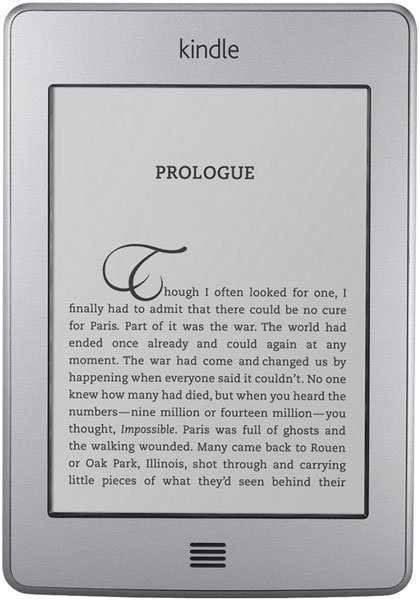
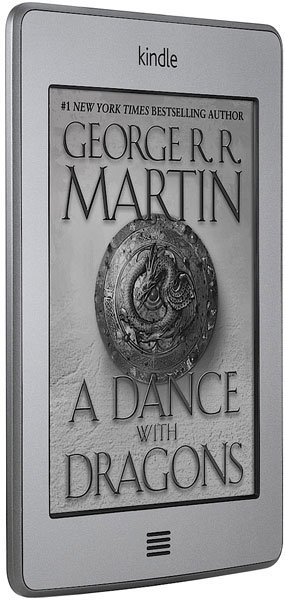
The Amazon Kindle Touch is a version of the new Amazon Kindle that has been fitted with a 6-inch touchscreen e-ink display. It doesn’t have the various navigational buttons found on the non-touch Kindle, so instead, users have to rely on touchscreen controls to navigate and interact with the device.
There are two versions of the Kindle Touch. The main difference between them is that the first one comes with built-in Wi-Fi and sells for $99, while the second one features not just Wi-Fi but also 3G wireless connectivity and sells for $149. Other than that, they are exactly the same, offering 4GB of onboard storage, free online cloud storage on Amazon’s servers, plus 2 months of battery life per charge. And they both fit in most pant pockets, to boot.
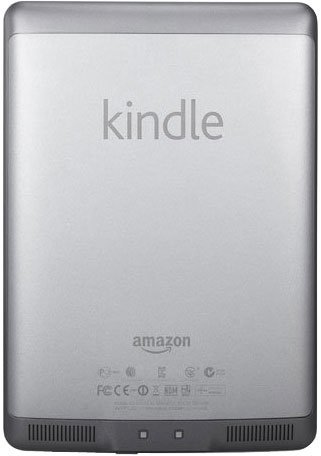
What makes the Amazon Kindle Touch truly interesting is the fact that it has been fitted with built-in speakers and also features an experimental Web browser called Amazon Silk. So it’s more than just an e-book reader; it’s also an audiobook player and an on-the-go Internet browsing device, provided that you can get used to these newfangled functions, that is.
If you want to enjoy reading your favorite books—whether from Amazon’s online store, a public library, or your own collection—in what is referred to by many as the best screen for reading books on the go, then the Amazon Kindle Touch is a great deal for as low as $100.
Need To Know: Amazon Kindle Touch
1. 6-inch touchscreen e-ink display is much better for reading than color LCD screens. (The Good)
2. 2-month battery life is simply outstanding and fully eliminates the need to worry about running out of charge in the middle of reading sessions. (The Good)
3. Built-in experimental Web browser leaves a lot to be desired when it comes to actual usage. (The Bad)
4. Lack of support for expandable memory limits the amount of onboard storage to just 4GB. (The Bad)
What people actually want to know
When was the Kindle Touch released?
The Kindle Touch was released on November 21, 2011.
Where can I download the Kindle Touch manual?
You can view and download the Kindle Touch manual on our dedicated manual page.
Questions & answers
Have a question about the Kindle Touch? Ask it here and we'll email you as soon as someone answers.
Finish the security check above to post your question.
Your name shows with your question.
✓ Question submitted. We'll notify you when someone answers.
We sent a verification link to . Click it to publish your question.
Can't find it? Check your spam folder.

New eReaders, honest advice.
One email when something worth knowing changes. No deal spam, no filler.