

Verdict
Key specs
In Depth
Amazon is the undisputed champion in the e-reader market despite the claims that tablets would take over its space. Still, it seemed that after the Kindle Paperwhite, there wasn’t much left for Amazon to improve upon. The release of the Kindle Voyage, therefore, was a bit of a surprise not least of which is due to its relatively high price point.
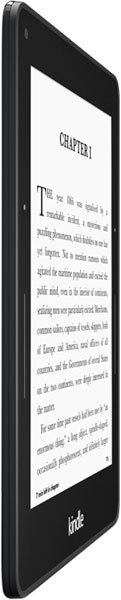
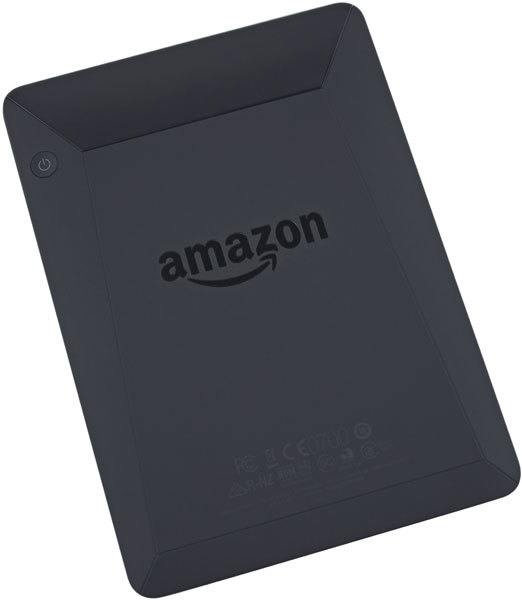
As thin and light as the Kindle Paperwhite is, Amazon managed to slim down the Voyage further to a mere 0.3 inches and 180 grams. It also departs from the traditional design cues of previous Kindle e-readers and instead opts for the sloped back of the Kindle Fire HDX tablet. While not necessarily more visually appealing, experts did notice a subtle yet noticeable improvement in grip and in-hand comfort over its predecessors.
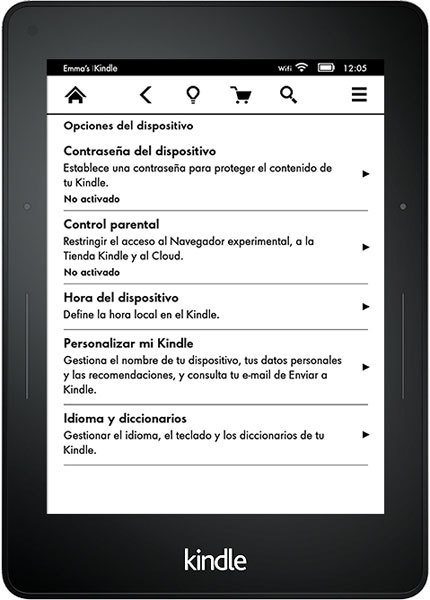
The main event isn’t the improved ergonomics though, it’s the screen. The 6-inch E Ink display boasts a resolution of 1072 x 1448 pixels for a pixel density of 300ppi, making it the sharpest e-reader to date. More importantly, the Voyage is the first Amazon e-reader with a completely flush display. Previous iterations were slightly below the bezel giving it, “a vaguely cheap, disposable flavor,” according to The Verge.
But it isn’t just for appearances sake, the flush mounting made the experience of “turning” the pages much more seamless as did the addition of a new feature called PagePress sensors. These surface mount buttons appear on the right and left bezels and allow users to change pages with a gentle squeeze. The sensor will then buzz to let you users know the command was registered. Both the level of pressure and intensity of the buzz can be adjusted in the device’s setting or turned off entirely.
Another new addition to the Kindle lineup is the addition of an ambient light sensor. Now instead of physically going into the settings to increase or decrease brightness, the device will update it automatically based on the ambient light levels. It doesn’t work perfectly, however, as Tech Radar notes, “…it always erred on the side of darkness.”
While the Voyage has made changes in positive direction critics add it still suffers from some ghosting issues and page turn speed has not improved over the Paperwhite. Still, they all agree that the Voyage is the best e-reader to date. With that said, reviewers are torn on recommending it. PC World states, “…I think the Paperwhite still delivers the best price-to-performance ratio…” Gizmodo adds, “It’s trick to say whether…the Voyage is worth it…I suspect, though, that for many people the Paperwhite is more than good enough.”
What people actually want to know
When was the Kindle Voyage released?
The Kindle Voyage was released on November 23, 2014.
How long does the battery last on the Kindle Voyage?
The Kindle Voyage has a 1,320 mAh battery.
Where can I download the Kindle Voyage manual?
You can view and download the Kindle Voyage manual on our dedicated manual page.
Questions & answers
Have a question about the Kindle Voyage? Ask it here and we'll email you as soon as someone answers.
Finish the security check above to post your question.
Your name shows with your question.
✓ Question submitted. We'll notify you when someone answers.
We sent a verification link to . Click it to publish your question.
Can't find it? Check your spam folder.

New eReaders, honest advice.
One email when something worth knowing changes. No deal spam, no filler.