
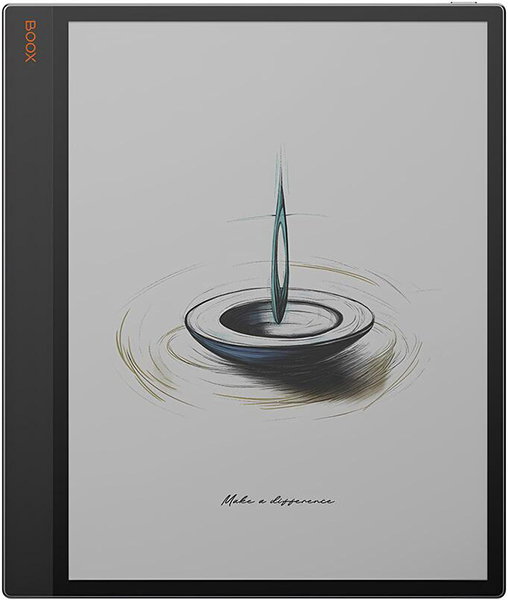

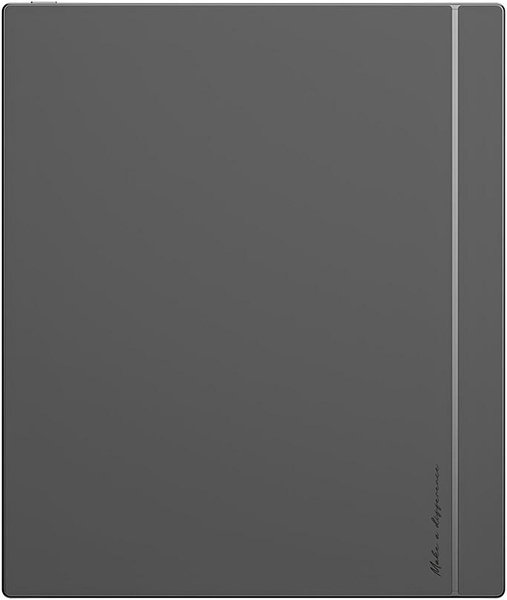
Onyx Boox Tab X C
Key specs
Critic reviews
No Compass Score yet. We calculate one once enough reviews include a score.

“The Onyx Boox Tab X C has one of the largest color E Ink displays you'll find and it comes with a high-quality stylus. It's also underpowered and has shorter battery life than competing ereaders, which makes it a bit tough to recommend.”

“You have to really want an e-ink screen to justify buying this. You have to really want, specifically, a device that costs as much as or more than a tablet that specializes in reading and writing/drawing, and nothing else. If that is what you want, then yes, the Boox Tab X C is a fantastic choice, with a good tactile writing feel, enormous screen, and all the benefits that an e-ink screen provides. But it's expensive for how niche its specialization is, so I can only recommend it to people who want that specialization and nothing else. If you want a tablet device that can do anything a laptop can do as well as that laptop, you'll want to spend your $820 on something else.”

“It's clearly trying to be a competitor to the iPad, though it definitely isn't. Even with a keyboard, it still feels like a supplementary device, not a replacement. Casual readers won't want to hold the device for long periods of time. The size makes it awkward for novels, and cheaper eReaders — including many from Boox's own lineup — handle that role far more comfortably. If you're primarily going to be reading things like novels or similarly sized small books, I suggest the Boox Go 7. It is perfectly sized to mimic holding a paperback.”

“It's a great digital notebook with the largest color e-ink screen on the market. It's also pretty dang expensive.”
Watch before you decide

Overview
Reading
Store & Apps
Software & Support
Display
Performance
Battery
Connectivity
Design & Build
Audio
Input & Navigation
More
Onyx Boox Tab X C Manual (HTML)
Specifications are sourced from manufacturers and third-party databases and may contain errors. Suggest a correction →
What people actually want to know
When was the Onyx Boox Tab X C released?
The Onyx Boox Tab X C was released on April 28, 2025.
How long does the battery last on the Onyx Boox Tab X C?
The Onyx Boox Tab X C has a 5,500 mAh battery.
Where can I get support for the Onyx Boox Tab X C?
Visit Onyx's official support page for warranty info, repairs, and troubleshooting.
Questions & answers
Have a question about the Onyx Boox Tab X C? Ask it here and we'll email you as soon as someone answers.
Finish the security check above to post your question.
Your name shows with your question.
✓ Question submitted. We'll notify you when someone answers.
We sent a verification link to . Click it to publish your question.
Can't find it? Check your spam folder.
How it compares


New eReaders, honest advice.
One email when something worth knowing changes. No deal spam, no filler.