Skip to content
Home›eReaders
eReaders

Compare eReaders

Kindle, Kobo, Boox, reMarkable and more, with screen, front light, book formats and battery side by side. Filter the list below to find the reader that suits you.

Last updated November 3, 2026

eReaders, Ranked

eReaders
Sort:
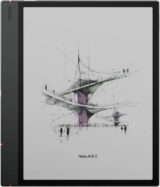
Onyx Boox Note Air 5 C
7.8
Onyx Boox Note Air 5 C
Onyx · — · 10.3"
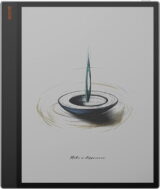
Onyx Boox Tab X C
7.1
Onyx Boox Tab X C
Onyx · — · 13.3"
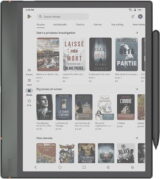
Onyx Boox Note Air 4 C
8.3
Onyx Boox Note Air 4 C
Onyx · — · 10.3"
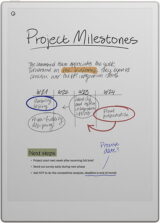
Compass Verdict

A versatile e-ink device that favors reading and note-taking, but lacks significant upgrades from its predecessor.
Pros
+ Color e-ink screen
+ Android app access
+ Note-taking features
+ Flexibility and customization
+ Supports multiple services
Cons
− Poor battery life
− Fragile build
− Lacks ingress protection
− Muted color quality
− Minimal updates from last model
reMarkable Paper Pro
7.9
reMarkable Paper Pro
reMarkable · — · 11.8"
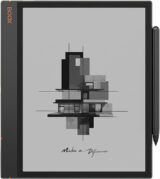
Compass Verdict

This tablet offers an unmatched, focused writing experience, perfect for those valuing simplicity without distractions.
Pros
+ Responsive stylus input
+ Color E Ink display
+ Front lighting added
+ Tactile writing experience
+ Large screen for notes
Cons
− High price point
− Limited app support
− Bulky accessories
− Subscription needed
− Slow color refresh
Onyx Boox Note Air 3
7.8
Onyx Boox Note Air 3
Onyx · — · 10.3"
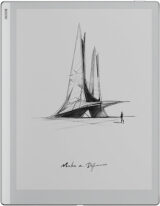
Compass Verdict

A flexible e-reader that stands out for note-taking but falls short in typical tablet tasks.
Pros
+ Premium quality chassis
+ Stunning e-ink display
+ Effective note-taking features
+ Access to Google Play
+ Long-lasting battery
Cons
− Cumbersome size
− High price
− Lacks ingress protection
− E-ink sluggishness
− No built-in ebook store
Onyx Boox Go 10.3
7.4
Onyx Boox Go 10.3
Onyx · — · 10.3"
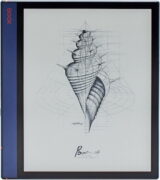
Compass Verdict

Light, slim, and ideal for reading and note-taking with a natural writing feel.
Pros
+ Lightweight design
+ Clear e-ink display
+ Great for note-taking
+ Google Play Store support
+ Long battery life
Cons
− No front light
− No expandable storage
− Stylus lacks eraser
− Sluggish performance
− Limited internal storage
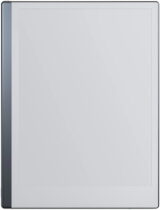
Onyx Boox Note Air
8.1
Onyx Boox Note Air
Onyx · — · 10.3"
Compass Verdict

If you’re looking for a tablet that’s designed more for learning or work, the Onyx Boox Note Air is an excellent middle-ground between full-featured tablets like Apple’s iPads and the more pared-back features of e-readers. It checks all of the boxes for what a professional or a student might need when reading, writing and note-taking, even including the availability of installing the Google Play store. It’s a great tablet and very well rounded.
Pros
+ Premium design
+ Nice pen with magnetic storage
+ Suitable format and app support
Cons
− Not waterproof
− So-so third-party app support for pen
− Low refresh rate means no second monitor use
reMarkable 2
8.1
reMarkable 2
reMarkable · — · 10.3"
Compass Verdict

In a world of multitasking and all-in-one devices, the price asked for the reMarkable 2 left some reviewers conflicted. That being said, it’s certainly a unique experience and if you’re looking to eliminate distractions, the reMarkable 2 has its benefits over other more-capable options.

Pros
+ Extremely thin design
+ Palm-rejection
+ Long battery life
Cons
− Expensive
− No backlight
− Limited capabilities
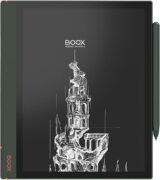
Onyx Boox Note Air 2
7.9
Onyx Boox Note Air 2
Onyx · — · 10.3"
Compass Verdict

A versatile device for reading, editing, and note-taking with flexibility in format and app support.
Pros
+ Flexible format support
+ Lightweight design
+ Paper-like writing feel
+ Good battery life
+ Android system with apps
Cons
− High price
− Slight note-taking lag
− Not waterproof
− Laggy E Ink panel
− Limited storage expansion
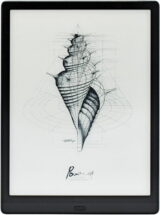
Onyx Boox Note Air 2 Plus
7.9
Onyx Boox Note Air 2 Plus
Onyx · — · 10.3"
Compass Verdict

A multifunctional e-ink device, offering excellent note-taking and reading features with robust app compatibility but limited media performance.
Pros
+ Long battery life
+ Supports Google Play
+ Durable build
+ Paper-like display
+ Magnetic stylus
Cons
− Pricey accessories
− No color display
− Limited storage
− Slow startup
− Non-expandable memory
Onyx Boox Max Lumi
7.8
Onyx Boox Max Lumi
Onyx · — · 13.3"
Compass Verdict

While there are some issues with the pen lagging in certain applications, it wasn’t enough to throw reviewers off. Between having the ability to access the Google Play Store and using the Max Lumi as a second PC monitor, there’s a lot of potential use for the tablet outside of just reading and note-taking.

Pros
+ Massive display
+ High refresh rate mode
+ Included stylus
+ Google Play compatible
Cons
− Expensive
− Stylus support hit-or-miss
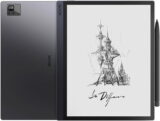
Onyx Boox Note Air 3 C
7.8
Onyx Boox Note Air 3 C
Onyx · — · 10.3"
Compass Verdict

Light and versatile, this wraps superb note-taking into a sleek design for those prioritizing usability and functionality.
Pros
+ Lightweight and portable
+ Excellent note-taking features
+ Color display useful for PDF highlights
+ Access to Google Play Store
+ Long battery life
Cons
− Slow startup
− Handwriting conversion cumbersome
− Weak speaker quality
− Limited to native apps for handwriting
− High price point
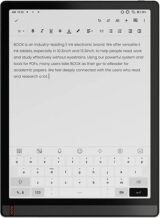
Onyx Boox Tab Ultra
7.7
Onyx Boox Tab Ultra
Onyx · — · 10.3"
Compass Verdict

An adaptable tablet offering an eye-friendly reading experience with Android familiarity, but at a higher cost without mainstream tablet speed.
Pros
+ Eye-friendly E Ink display
+ Access to Google Play Store
+ Versatile with stylus
+ Smooth writing experience
+ Expandable storage
Cons
− Premium price point
− Heavy for e-reader
− Delayed screen refresh
− Limited app compatibility
− Clunky scanning camera
Onyx Boox Tab X
7.6
Onyx Boox Tab X
Onyx · — · 13.3"
Onyx Boox Max Lumi 2
7.5
Onyx Boox Max Lumi 2
Onyx · — · 13.3"
Compare is full